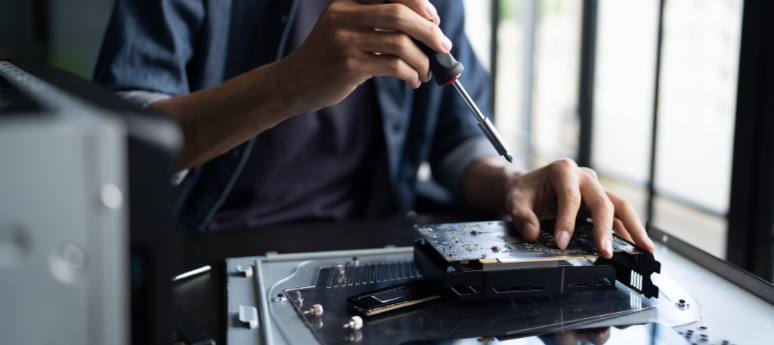
Essential Hardware Repair and Maintenance Why Professional Support Matters for Your Devices
Introduction
Computer hardware forms the foundation of every digital device we use—whether it's a laptop, desktop, workstation, or business IT system. When hardware components malfunction, it directly affects performance, productivity, and sometimes even critical data. This makes professional hardware servicing more important than ever.
At Microcair Systems, we provide expert hardware repair, upgrades, and maintenance solutions to ensure your devices always perform at their best.
1. What Is Computer Hardware Service?
Computer hardware service includes diagnosing, repairing, and maintaining physical components of your system. These may include:
Motherboard
RAM & Storage Drives
Processor (CPU)
Graphics Card
Power Supply
Cooling Fans & Heat Sinks
Ports, Cables & Connectors
Keyboard, Display & Battery Components
Regular servicing helps reduce breakdowns, improve efficiency, and extend the lifespan of your device.
2. Common Hardware Issues Users Face
✔ Overheating & Sudden Shutdowns
Dust accumulation, blocked vents, or faulty cooling systems can cause a device to overheat and shut down unexpectedly.
✔ Slow Performance or Freezing
Faulty RAM, aging hard drives, or underlying motherboard issues often lead to slow performance and system lag.
✔ Battery & Charging Problems
Issues with charging ports, broken power circuits, or degraded batteries can interrupt your workflow.
✔ Display or Graphic Card Malfunctions
Problems like screen flickering, black screens, or visual distortions usually point to GPU or display-panel faults.
✔ Storage Failure & Data Loss
Failing hard drives or SSDs lead to slow boot times, file corruption, and potential data loss.
3. Benefits of Professional Hardware Repair
🔧 Accurate Diagnostics
Professional technicians use advanced diagnostics to identify hardware issues with precision.
📈 Improved System Performance
Upgrading components like RAM or SSD can boost speed and efficiency.
🔐 Data Protection
Experts ensure your important data remains safe during repairs.
💰 Cost-Efficiency
Repairing hardware is far more economical than replacing the entire device.
📆 Extended Device Lifespan
Routine check-ups and maintenance help prevent future failures and prolong device life.
4. Hardware Services Offered by Microcair Systems
✔ Motherboard Repair & Replacement
Repairing damaged ICs, fixing power faults, and handling board-level issues with care.
✔ RAM & Storage Upgrades
Enhancing performance with RAM expansions and fast SSD upgrades.
✔ Cooling System Cleaning & Repair
Deep cleaning of fans, vents, and applying thermal paste for optimal cooling.
✔ Power & Charging Repair
Fixing charging ports, battery issues, and power supply faults.
✔ Graphics Card & Display Repair
Diagnosing GPU problems, screen issues, and visual malfunctions.
✔ Complete Hardware Optimization
Ensuring all components are cleaned, tested, and functioning at peak performance.
5. When Should You Service Your Hardware?
Consider getting your device serviced if you notice:
Frequent restarts or unexpected shutdowns
Excessive heat or burning smell
Lines or distortion on the screen
Clicking or grinding noises from the hard drive
Extremely slow booting
Device not powering on
Delaying these signs may lead to complete hardware failure.
Conclusion
Professional hardware servicing is essential for keeping your devices running efficiently, safely, and reliably. Whether you use a laptop or a desktop, regular maintenance prevents costly repairs and extends your device’s lifespan.
For trusted and high-quality hardware repair, Microcair Systems offers expert diagnostics, genuine components, and reliable support tailored to your needs.
© 2025 Microcair Systems. All Rights Reserved.